IT-Tools on Bletchley
Deploying IT-Tools on Bletchley: self-hosted dev utilities running as non-root behind Traefik and cert-manager, with a restricted PodSecurity context
Introduction
Once a Kubernetes cluster has networking, certificates, authentication, and persistent storage working, it starts becoming a practical platform - something you can actually deploy applications on with confidence. IT-Tools is a good first test of that. It's a collection of developer and sysadmin utilities in a web interface: things like UUID generators, base64 encoders, JWT decoders, YAML-to-JSON converters, and a few dozen more. You probably use half of these weekly - and usually on whatever site Google gives you first.
Running it on Bletchley means those tools are available on the internal network, behind HTTPS, at a proper domain name, and processed locally. The deployment is four YAML files - a ConfigMap, a Deployment, a Service, and an Ingress - and getting the security context right turned out to be the interesting part.
🛠️ This is part of the Homelab Tools series - useful applications and utilities running on the Bletchley cluster.
- IT-Tools on Bletchley (you are here)
- k9s
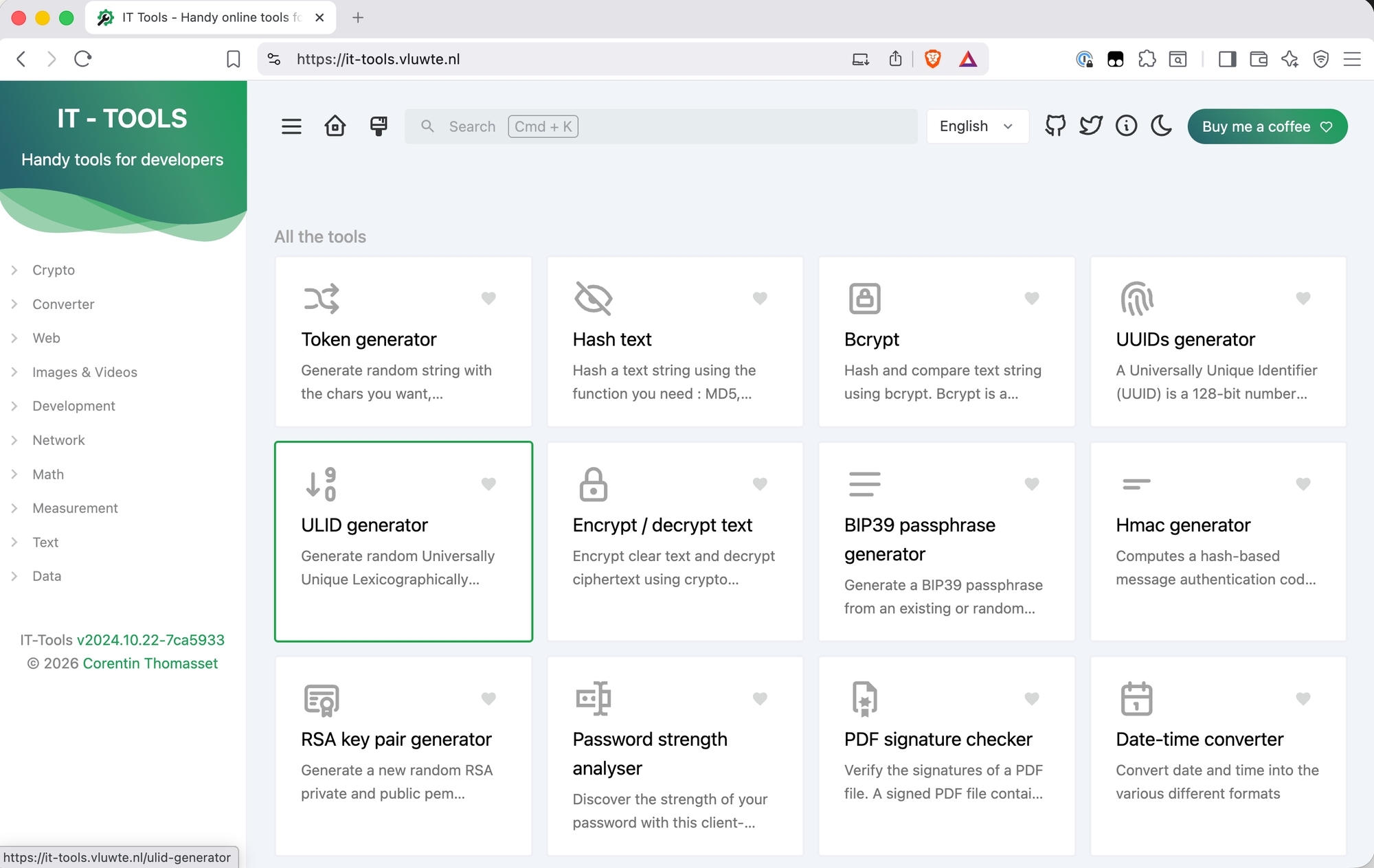
What Is IT-Tools?
IT-Tools is an open-source collection of web-based utilities aimed at developers and sysadmins. The project is maintained by Corentin Th and is available as a Docker image (corentinth/it-tools). It includes tools for encoding, generating, converting, hashing, formatting, and working with network addresses - all running client-side in the browser, which means inputs are processed locally in the browser and are not sent back to the server once the page is loaded.
The self-hosted angle matters here. Every time you paste a JWT or a private key into an online tool, you're trusting that site not to log it. Running IT-Tools on an internal cluster removes the need to trust third-party hosted instances.
Running as Non-Root
The first attempt was a straightforward single-container deployment - image, ports, resource limits, done. It worked, but applying it produced a PodSecurity warning:
Warning: would violate PodSecurity "restricted:latest": allowPrivilegeEscalation != false,
unrestricted capabilities, runAsNonRoot != true, seccompProfile not set
The container was running as root. For an internal tool that's not a hard blocker, but it's worth fixing properly rather than accepting it as technical debt. The question was whether the image actually supports running as non-root.
A Helm chart for it-tools exists (jeffresc/it-tools) with runAsNonRoot: true configured. The chart has since switched to a fork of the original image. That made it more useful as documentation than as a dependency. The chart does three things to make non-root work:
- Replaces the nginx config via a ConfigMap, redirecting logs and the pid file to
/tmp/nginxrather than root-owned paths - Mounts two
emptyDirvolumes to give nginx writable scratch space at runtime - Runs as user and group
10099with a read-only root filesystem
The port also changes: non-root processes can't bind to ports below 1024 without additional capabilities, so nginx listens on 8080 instead of 80. The image is pinned to 2024.10.22-7ca5933 rather than latest - the tag encodes the release date and git commit hash, so it's clear exactly what is running and updates are a deliberate one-line change rather than an invisible pull of whatever latest resolves to at that moment.
Namespace
Create the correct namespace:
# it-tools-namespace.yaml
apiVersion: v1
kind: Namespace
metadata:
  name: it-tools
ConfigMap
The custom nginx config writes runtime files to /tmp/nginx and listens on port 8080:
# it-tools-configmap.yaml
apiVersion: v1
kind: ConfigMap
metadata:
  name: nginx-conf
  namespace: it-tools
data:
  nginx.conf: |
    worker_processes  auto;

    error_log  /tmp/nginx/error.log warn;
    pid        /tmp/nginx/nginx.pid;

    events {
      worker_connections  1024;
    }

    http {
        include /etc/nginx/mime.types;

        server {
            listen 8080;
            server_name _;
            root /usr/share/nginx/html;
            index index.html;

            location / {
                try_files $uri $uri/ /index.html;
            }
        }
    }
Deployment
The deployment wires together the security context, the volume mounts, and the custom config:
# it-tools-deployment.yaml
apiVersion: apps/v1
kind: Deployment
metadata:
  name: it-tools-deployment
  namespace: it-tools
  labels:
    app: it-tools
spec:
  replicas: 1
  selector:
    matchLabels:
      app: it-tools
  template:
    metadata:
      labels:
        app: it-tools
    spec:
      securityContext:
        runAsNonRoot: true
        runAsUser: 10099
        runAsGroup: 10099
        fsGroup: 10099
      containers:
        - name: it-tools
          image: corentinth/it-tools:2024.10.22-7ca5933
          imagePullPolicy: IfNotPresent
          ports:
            - containerPort: 8080
          securityContext:
            capabilities:
              drop:
              - ALL
            readOnlyRootFilesystem: true
            allowPrivilegeEscalation: false
            seccompProfile:
              type: RuntimeDefault
          resources:
            requests:
              cpu: "10m"
              memory: "16Mi"
            limits:
              cpu: "100m"
              memory: "32Mi"
          volumeMounts:
            - name: cache
              mountPath: /var/cache/nginx
            - name: tmp
              mountPath: /tmp/nginx
            - name: conf
              mountPath: /etc/nginx/nginx.conf
              subPath: nginx.conf
      volumes:
        - name: cache
          emptyDir: {}
        - name: tmp
          emptyDir: {}
        - name: conf
          configMap:
            name: nginx-conf
The pod-level securityContext sets the user and group for all containers. The container-level securityContext drops all Linux capabilities, enforces a read-only root filesystem, prevents privilege escalation, and applies the RuntimeDefault seccomp profile. Together these satisfy the restricted PodSecurity policy — no warnings on apply.
Service and Ingress
The Service and Ingress follow the standard cluster pattern, with port 8080 throughout:
# it-tools-service.yaml
apiVersion: v1
kind: Service
metadata:
  namespace: it-tools
  name: it-tools-http
  labels:
    app: it-tools
spec:
  type: ClusterIP
  selector:
    app: it-tools
  ports:
    - protocol: TCP
      port: 8080
      targetPort: 8080
# ingress-it-tools.yaml
apiVersion: networking.k8s.io/v1
kind: Ingress
metadata:
  name: it-tools
  namespace: it-tools
  annotations:
    cert-manager.io/cluster-issuer: letsencrypt-production
    traefik.ingress.kubernetes.io/router.middlewares: traefik-redirect-to-https@kubernetescrd
spec:
  ingressClassName: traefik
  rules:
  - host: it-tools.vluwte.nl
    http:
      paths:
      - path: /
        pathType: Prefix
        backend:
          service:
            name: it-tools-http
            port:
              number: 8080
  tls:
  - hosts:
    - it-tools.vluwte.nl
    secretName: it-tools-tls
Apply in order (namespace first, then config, then workload):
kubectl apply -f it-tools-namespace.yaml
kubectl apply -f it-tools-configmap.yaml
kubectl apply -f it-tools-deployment.yaml
kubectl apply -f it-tools-service.yaml
kubectl apply -f ingress-it-tools.yaml
All five commands completed without warnings. cert-manager issued the certificate, Traefik picked up the ingress rule, and IT-Tools was accessible at https://it-tools.vluwte.nl.
What's Working Now
✅ IT-Tools running as non-root user 10099 with a read-only root filesystem
✅ No PodSecurity warnings - compliant with the restricted PodSecurity policy
✅ Accessible at https://it-tools.vluwte.nl
✅ TLS certificate issued automatically by cert-manager via Let's Encrypt
✅ HTTP-to-HTTPS redirect via Traefik middleware
✅ Resource limits tuned to actual usage
After deployment, Grafana's K8s Resource Monitoring dashboard showed IT-Tools using 7 MiB RAM
and negligible CPU at rest — not surprising for a static single-page app where nginx is just
sitting idle between requests. The initial estimates of 128Mi request and 256Mi limit were
reduced accordingly:
resources:
  requests:
    cpu: "10m"
    memory: "16Mi"
  limits:
    cpu: "100m"
    memory: "32Mi"
This is a good example of why setting resource limits based on observed usage rather than
guesswork matters — a request of 128Mi tells the Kubernetes scheduler to reserve that memory
on a node, even if the container never comes close to using it.
← Previous: Authelia and ForwardAuth
→ Next: Cluster Observability Part 4
Questions or suggestions? Leave a comment below or reach out at igor@vluwte.nl.