Version Control for the Cluster: Installing Forgejo on Bletchley
Installing Forgejo on Bletchley: self-hosted git, infra/apps repo structure, accidentally committing secrets, SQLite WAL, and a two-layer backup to Garage S3.
Introduction
There is a particular kind of discomfort that comes from running infrastructure you can't reproduce. Every component on the Bletchley cluster — Longhorn, Prometheus, Grafana, MetalLB, Traefik, cert-manager — was installed with a Helm values file or a YAML manifest that lives in a single directory on my workstation. One machine. No history. No rollback. If that machine died, or if I changed a flag and broke something, there would be no way to know what it looked like before.
The right answer to this is version control, and the right answer to version control for a self-hosted homelab is a self-hosted git forge. Running it on a cloud platform would mean cluster configuration — including references to credentials — leaving the homelab entirely. That contradicts the whole premise of building this thing.
This post covers the installation of Forgejo on Bletchley, the repository structure decisions that shape how the cluster's configuration is organised, a few things that went wrong during the commit phase, and the backup setup that makes the whole thing trustworthy. It ends with a cluster that has, for the first time, a memory.
🏠 This is part of the Homelab Journey series - building a production Kubernetes cluster from scratch.
- Backup Infrastructure: Garage, ZFS, NFS, Longhorn
- Version Control for the Cluster: Installing Forgejo on Bletchley (you are here)
- Cluster Observability Part 3
This post assumes the cluster is running with Longhorn storage, MetalLB and Traefik for networking, and cert-manager for TLS. The backup post covers Garage S3, which is used for the Forgejo backup CronJob.
Why Forgejo and Not Something Else
The short version: Forgejo is Gitea without the corporate complications.
Gitea was the obvious starting point — lightweight, self-hostable, ARM64-native, with a Helm chart. But in 2022 Gitea's core team introduced a CLA (Contributor Licence Agreement) that transferred contribution rights to a newly formed commercial entity. A group of maintainers forked the project, formed Forgejo under the Software Freedom Conservancy, and committed to keeping it fully community-governed and open-source without exception. The codebases diverged from that point.
For a personal homelab the CLA issue doesn't affect me directly. But the fork history matters for a different reason: Forgejo is where active community development is now happening, and the Helm chart has moved there too. The canonical chart is at code.forgejo.org/forgejo-helm/forgejo, installed via OCI — no helm repo add step needed.
GitLab CE was the other obvious option. It's comprehensive — built-in CI, container registry, merge requests, issue tracking. It's also heavy. The minimum recommended RAM for a GitLab CE instance is 4GB, which would consume a significant fraction of the cluster's 32GB for a service that would mostly store YAML files and the occasional blog post draft. Forgejo, by contrast, is running comfortably at ~157 MiB on this cluster — measured after a week of normal use. The overhead difference isn't justified at this scale.
GitHub and GitLab.com were never seriously considered. Cluster configuration files — even sanitised ones — belong on infrastructure I control.
Installation
The Forgejo Helm chart is OCI-based, which means the install is a single command with no repository setup:
kubectl create namespace forgejo

helm install forgejo oci://code.forgejo.org/forgejo-helm/forgejo \
  --namespace forgejo \
  --version 16.2.1 \
  --values forgejo-values.yaml
The values file covers the decisions that matter:
# Chart: oci://code.forgejo.org/forgejo-helm/forgejo
# Chart version: 16.2.1 — Forgejo 14.0.3

image:
  registry: code.forgejo.org
  repository: forgejo/forgejo
  rootless: true          # multi-arch image, includes linux/arm64

persistence:
  enabled: true
  claimName: forgejo-data
  storageClass: longhorn
  size: 10Gi

service:
  http:
    type: ClusterIP
    port: 3000
  ssh:
    type: ClusterIP         # no SSH exposure yet — HTTPS only for now

ingress:
  enabled: false            # managed separately, consistent with other services

gitea:
  admin:
    username: a-igor
    password: "changeme"    # changed via UI immediately after install; inert after first boot
    email: "a-igor@vluwte.nl"
    passwordMode: initialOnlyNoReset

  config:
    APP_NAME: "Bletchley Forgejo"
    server:
      DOMAIN: git.vluwte.nl
      ROOT_URL: "https://git.vluwte.nl"
      HTTP_PORT: 3000
    database:
      DB_TYPE: sqlite3
    indexer:
      REPO_INDEXER_ENABLED: true
    mailer:
      ENABLED: true
      PROTOCOL: smtp
      SMTP_ADDR: mail.luwte.net
      SMTP_PORT: 25
      FROM: forgejo@vluwte.nl
A few things in this file worth explaining.
passwordMode: initialOnlyNoReset means the chart sets the admin password once from the values file on first pod start and never touches it again. The default keepUpdated mode resets the password on every pod restart — which would be a problem once the values file has a placeholder value committed to git. With initialOnlyNoReset, the password is changed via the Forgejo UI immediately after install and the values file value becomes permanently inert. It's safe to commit changeme.
image.rootless: true is the default and is correct. The rootless variant is the multi-arch image that includes linux/arm64 — no override needed on RK1.
ingress.enabled: false means the Ingress is managed as a separate YAML file rather than generated by the chart. This keeps it consistent with how Grafana and Longhorn ingresses are managed.
The chart sets INSTALL_LOCK: true automatically, so the web-based first-run wizard never appears. The admin user is created from the gitea.admin.* values on first pod start.
One version note: helm show chart reports appVersion: 2.36.0 but the pod log shows Forgejo version: 14.0.3. The two version numbers come from different versioning schemes — 14.0.3 is the actual running binary. Always confirm from the pod log.
DNS and TLS
Forgejo gets two hostnames: git.vluwte.nl as the canonical short URL, and forgejo.bletchley.vluwte.nl as an alias. Both are internal DNS only — not published to public TransIP DNS. The cluster's DNS policy is that service A records stay internal; public DNS carries only the blog, MX records, and cert-manager's temporary _acme-challenge TXT records during certificate issuance.
Both hostnames are added to internal DNS pointing at 10.0.140.100 (the MetalLB/Traefik IP). cert-manager issues a single certificate covering both names — one renewal event, one Kubernetes Secret.
The Ingress:
apiVersion: networking.k8s.io/v1
kind: Ingress
metadata:
  name: forgejo
  namespace: forgejo
  annotations:
    cert-manager.io/cluster-issuer: letsencrypt-production
    traefik.ingress.kubernetes.io/router.middlewares: traefik-redirect-to-https@kubernetescrd
spec:
  ingressClassName: traefik
  rules:
  - host: git.vluwte.nl
    http:
      paths:
      - path: /
        pathType: Prefix
        backend:
          service:
            name: forgejo-http
            port:
              number: 3000
  - host: forgejo.bletchley.vluwte.nl
    http:
      paths:
      - path: /
        pathType: Prefix
        backend:
          service:
            name: forgejo-http
            port:
              number: 3000
  tls:
  - hosts:
    - git.vluwte.nl
    - forgejo.bletchley.vluwte.nl
    secretName: forgejo-tls
One mistake worth documenting: the redirect middleware annotation initially had the wrong format — redirect-to-https@kubernetescrd instead of traefik-redirect-to-https@kubernetescrd. The correct format is <namespace>-<middlewarename>@kubernetescrd. When Traefik encounters a middleware reference it can't resolve, it drops the entire route — both HTTP and HTTPS returned 404 until the annotation was corrected. Always verify the middleware name with kubectl get middleware -A before writing annotations.
ROOT_URL set to https://git.vluwte.nl/ is confirmed in the pod startup log:
[I] AppURL(ROOT_URL): https://git.vluwte.nl/
Clone URLs in the UI use the short hostname throughout.
Accounts
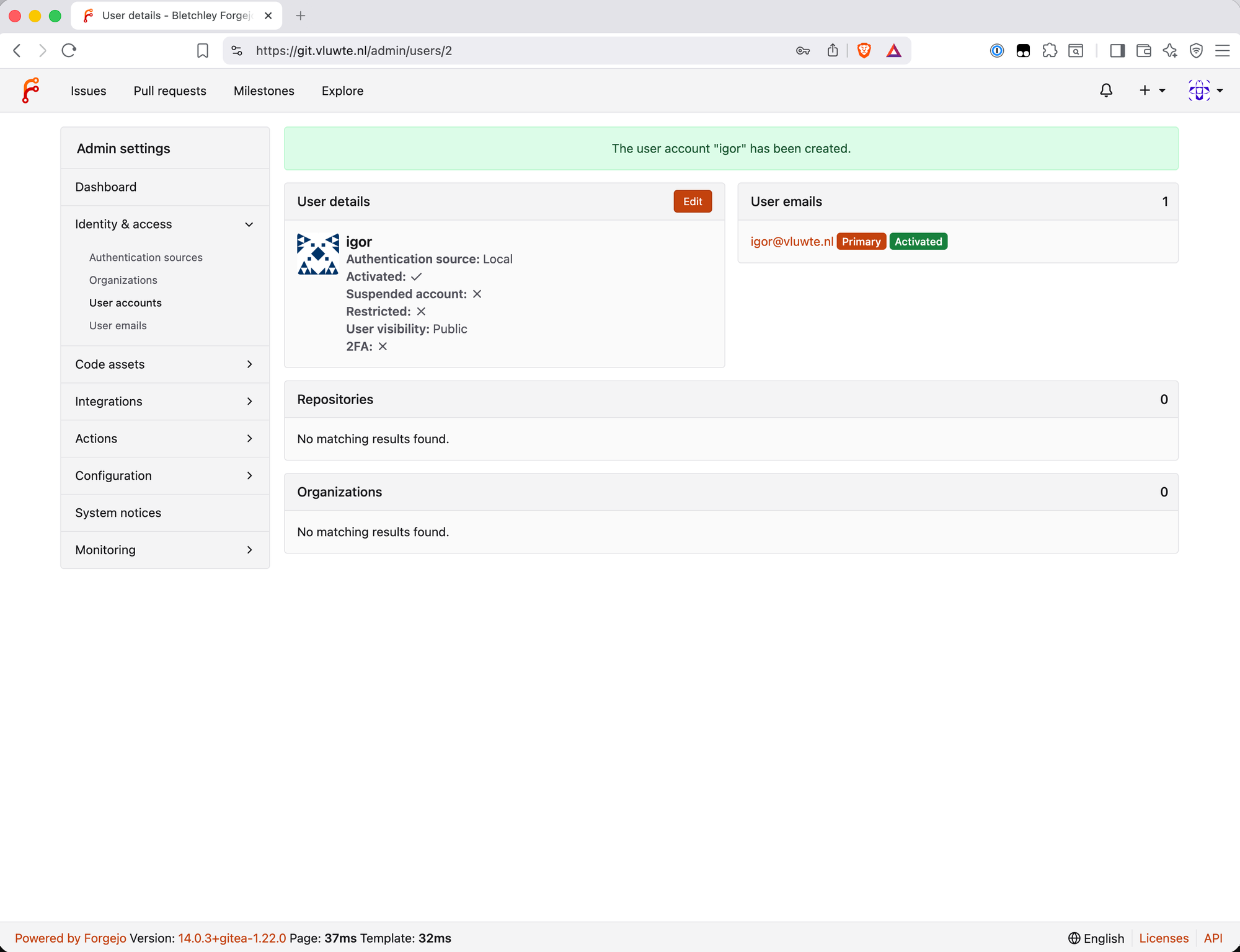
The admin account a-igor is created by the chart from the values file. The naming convention — a- prefix for admin accounts — makes the distinction visible in any user list and enforces the habit of not using admin credentials for day-to-day work. The a-igor account has site-wide administrative powers; igor is the normal user account that owns repositories and does the actual work.
After install, the sequence was:
- Log in as
a-igor, change password via the Forgejo UI - Create
igoras a normal user account - Create the
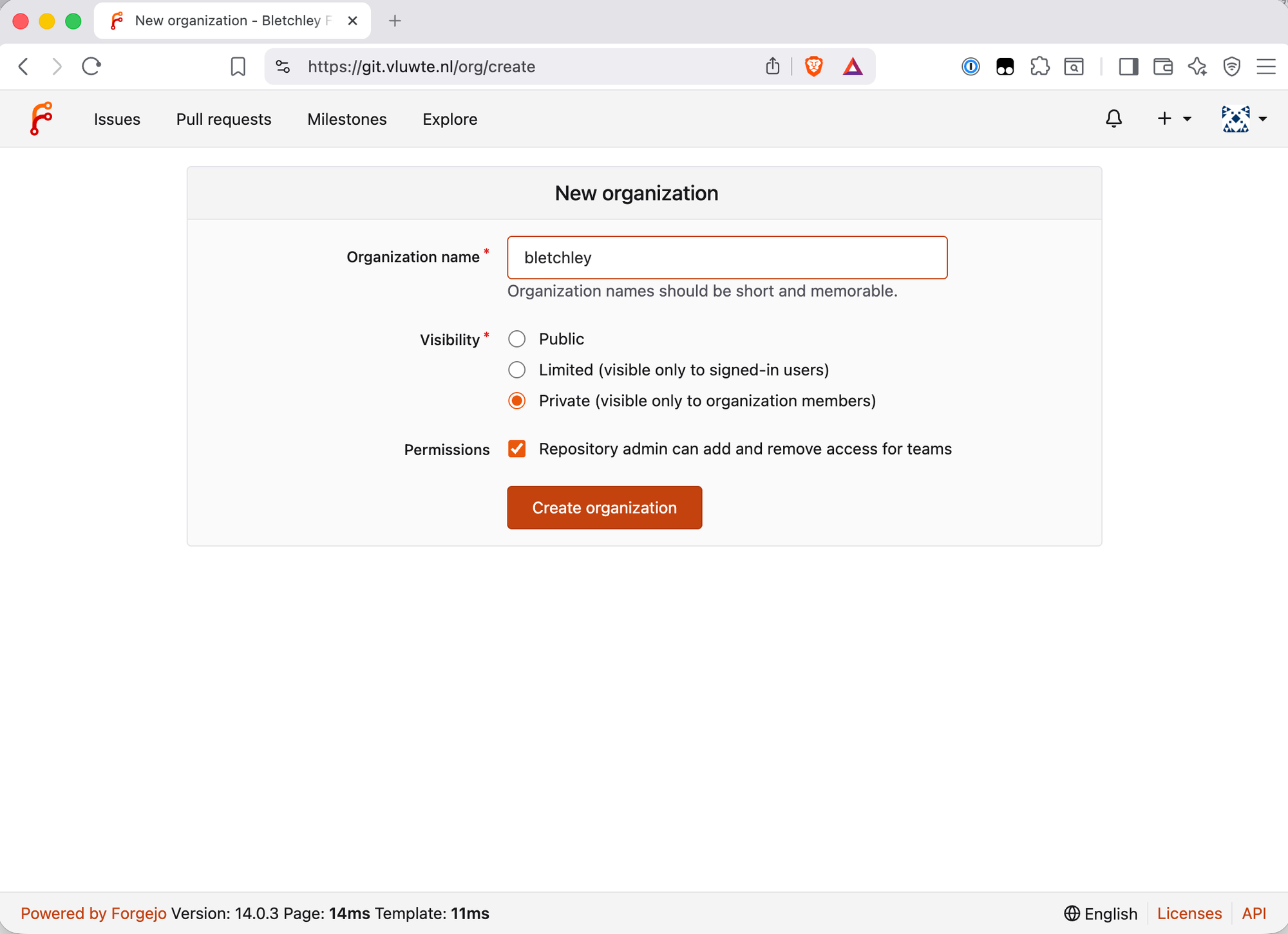
bletchleyorganisation asigor - All subsequent work done as
igor
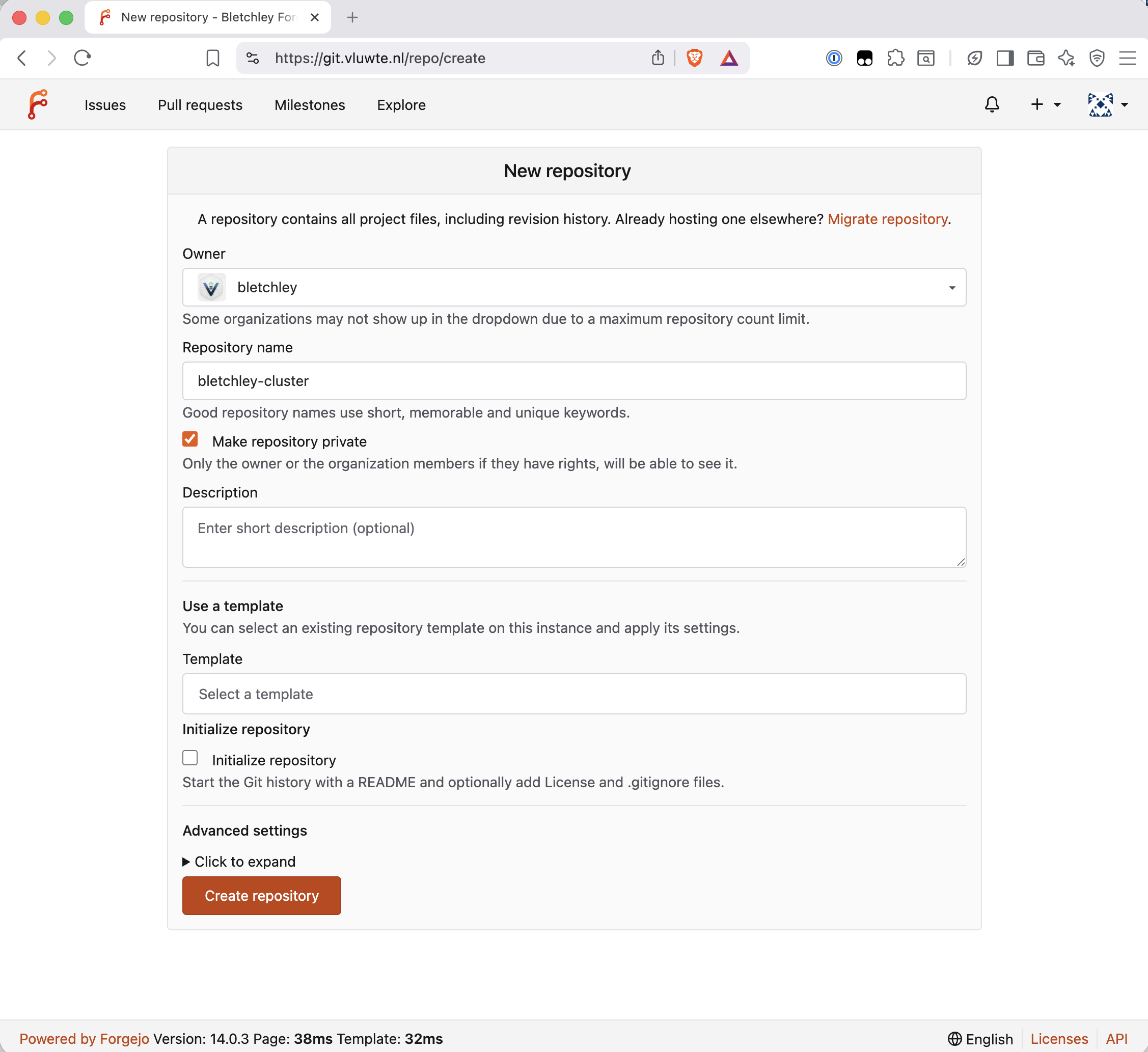
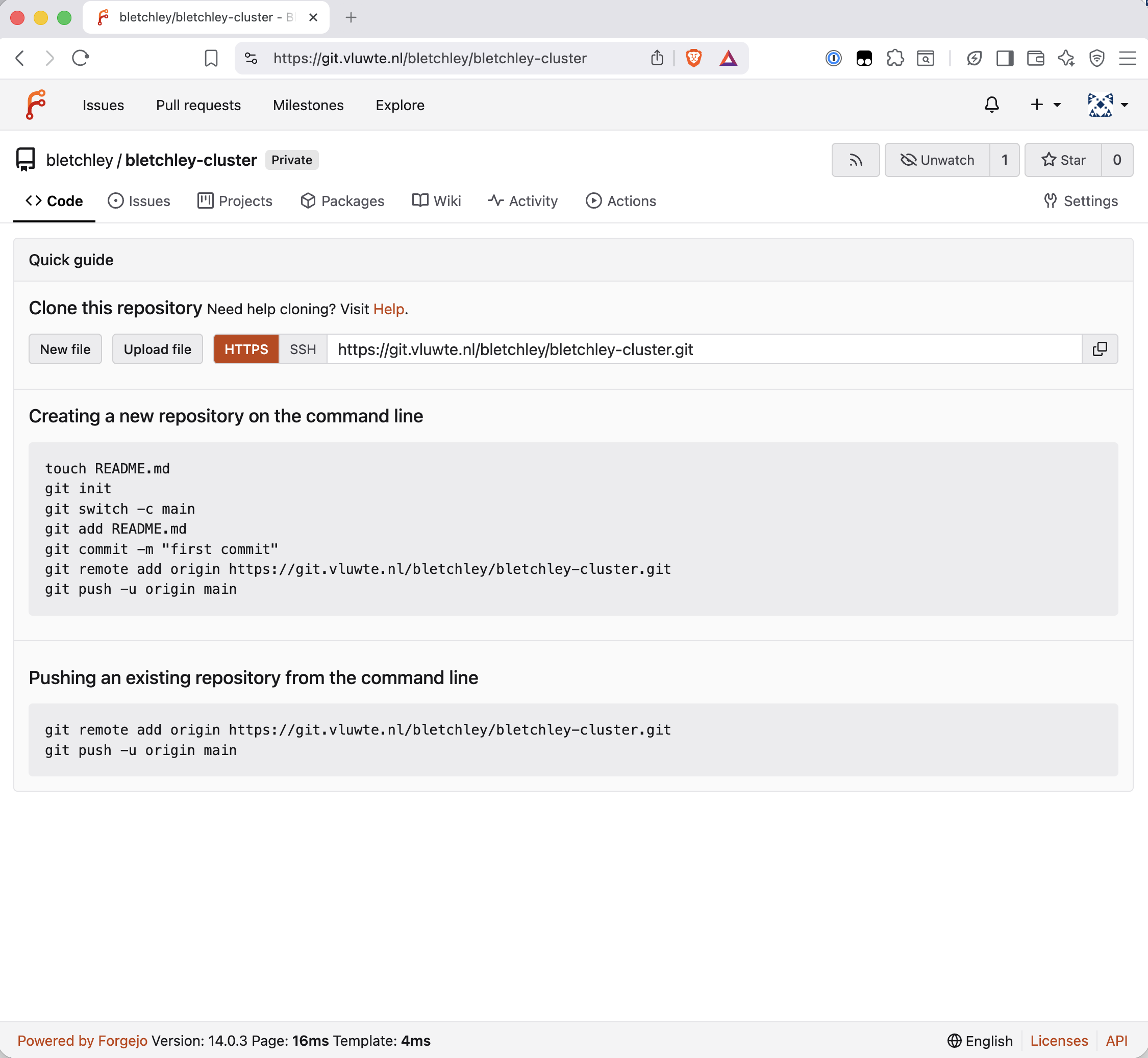
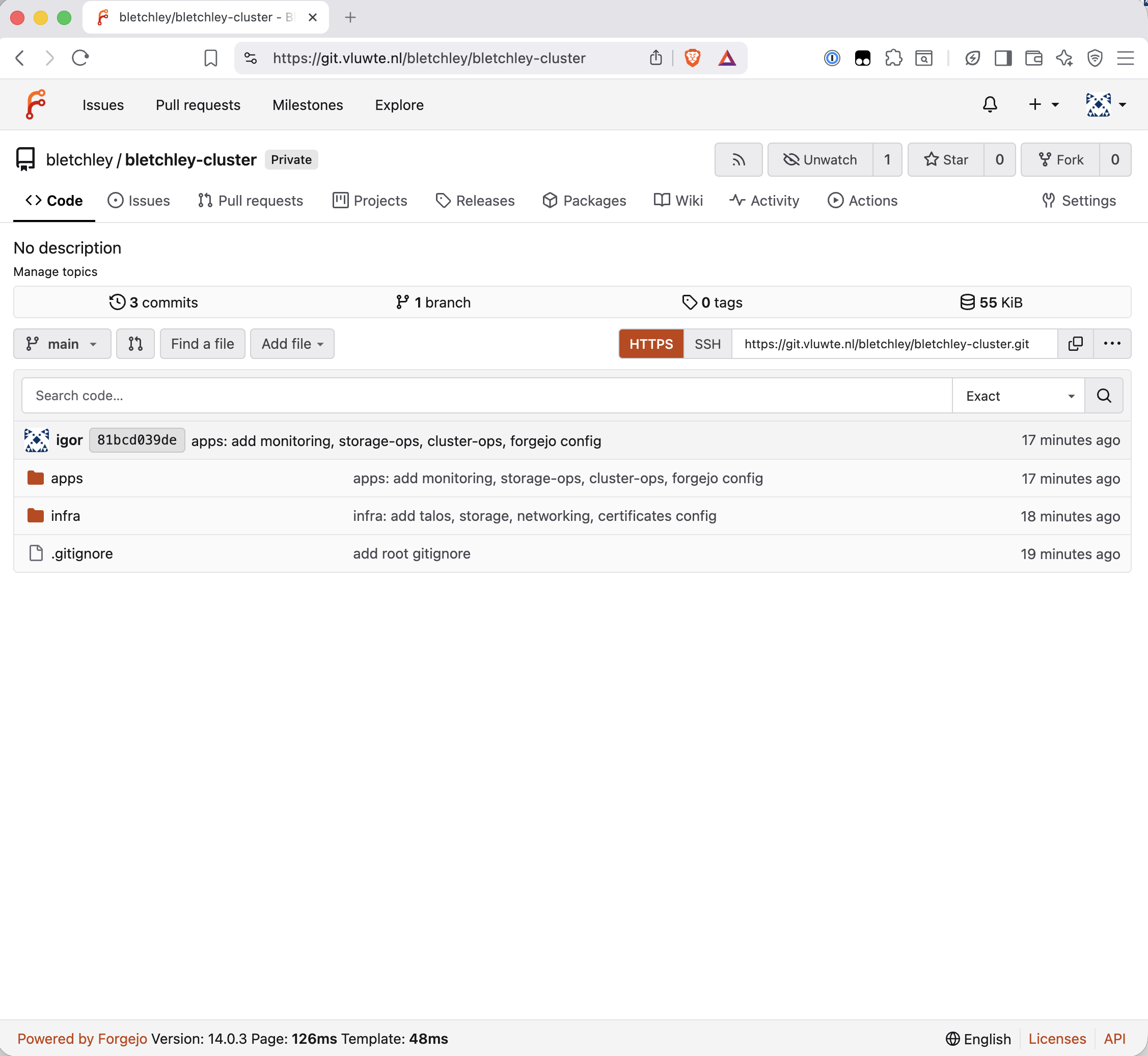
git.vluwte.nl/bletchley/bletchley-cluster is the repository that now holds all cluster configuration.
Repository Structure
The biggest decision in this post wasn't about Forgejo — it was about how to organise the files once there was somewhere to put them.
The existing ~/talos-cluster/bletchley/ directory had everything in a flat structure, sorted by component. That works fine until ArgoCD arrives. ArgoCD's model is to point an Application at a directory and own everything in it. The directory structure needs to reflect a real architectural distinction, or the GitOps layer becomes awkward to configure later.
The structure chosen is a monorepo with an infra//apps/ split:
bletchley-cluster/
├── infra/                    ← platform layer, applied manually
│   ├── talos/                ← cluster bootstrap configs
│   ├── storage/              ← Longhorn, NFS
│   ├── networking/           ← MetalLB, Traefik
│   └── certificates/         ← cert-manager, ClusterIssuers
└── apps/                     ← workload layer, future ArgoCD territory
    ├── monitoring/           ← Prometheus, Grafana, ingresses
    ├── storage-ops/          ← Garage S3
    ├── cluster-ops/          ← etcd backup CronJob
    └── forgejo/              ← Forgejo itself
The split reflects a real distinction. infra/ is what makes the cluster a cluster — Talos configs, storage classes, the networking stack, cert-manager. These are applied once during bootstrap and rarely change. Importantly, infra/ stays manually applied with kubectl, talosctl, and helm — in my setup it will not be managed by ArgoCD.
apps/ is everything that runs on the cluster as a workload. When ArgoCD arrives, an Application pointing at apps/monitoring/ will own Prometheus and Grafana. Another pointing at apps/storage-ops/ will own Garage. The directory boundary is the GitOps boundary.
One structural decision worth calling out: Ingress objects live with the app they serve, not with Traefik. ingress-grafana.yaml belongs in apps/monitoring/ingresses/ because it is configuration of Grafana's exposure, not configuration of Traefik itself. Traefik's own values and middleware stay in infra/networking/traefik/.
Committing the Existing Config — and What Went Wrong
Getting all the existing configuration into the repository went smoothly except for one significant mistake.
controlplane.yaml and worker.yaml were committed in the initial infra/ commit. Both files are the Talos machine configurations generated by talosctl gen config — and both contain the cluster CA certificate and key, bootstrap tokens, and node certificates embedded inline. These are real secrets. The files were removed from tracking immediately after discovery:
git rm --cached infra/talos/controlplane.yaml
git rm --cached infra/talos/worker.yaml
Because the repository was only five commits old and nothing else depended on it, the cleaner option was to wipe the git history entirely and start fresh rather than leave the secrets in earlier commits. The repo was re-initialised locally and pushed to a freshly created Forgejo repository.
The lesson: Talos machine configs are not "just configuration files". They contain embedded cluster secrets and must be in .gitignore before the first commit. The root .gitignore pattern *-secret.yaml catches credentials by naming convention — but controlplane.yaml and worker.yaml don't follow that pattern. They need to be named explicitly in the directory-level .gitignore.
The .gitignore structure that works:
# infra/talos/.gitignore
talosconfig
kubeconfig
controlplane.yaml
worker.yaml
# root .gitignore
*-secret.yaml
!*-secret.yaml.example
For everything else — ClusterIssuer YAMLs containing email addresses, Grafana values containing a password placeholder — the pattern is <placeholder> in the committed file with the real value applied only via helm upgrade or kubectl. The .example files show the structure; the real secrets live only in the cluster.
Credentials — The Honest Accounting
The cluster currently has credentials in two places: Kubernetes Secrets in the cluster, and Helm values files that once contained real passwords (now committed with placeholders).
| Credential | Where it lives | In git? | Plan |
|---|---|---|---|
| TransIP RSA private key | Kubernetes Secret transip-secret |
No — never | Sealed Secrets (next step) |
| Grafana admin password | Set via UI | Placeholder in git | Sealed Secrets |
| Forgejo admin password | Set via UI | Placeholder in git | Sealed Secrets |
| Garage S3 keys | Kubernetes Secrets | No — gitignored | Sealed Secrets |
| etcd backup S3 keys | Kubernetes Secret | No — gitignored | Sealed Secrets |
Kubernetes Secrets are base64 encoded, not encrypted — anyone with kubectl access can decode a Secret trivially. A compromised pod with sufficient RBAC permissions could do the same. For a single-operator homelab on an isolated VLAN this is an accepted interim position. The sequencing is deliberate: Forgejo had to exist before Sealed Secrets made sense. Now that the git instance is running, Sealed Secrets is the logical next step — it encrypts Secrets into a CRD that is safe to commit, with the decryption key living only in the cluster.
SQLite and WAL
For a single-user homelab, SQLite is the right database choice. No external dependency, no connection string to manage, no PostgreSQL operator to run. The chart's own documentation lists it as the production-ready configuration for single-pod deployments. Forgejo then uses SQLite in WAL mode by default — a detail worth understanding before committing to it on a distributed storage backend.
The question worth answering before committing to it: is SQLite safe on a Longhorn-backed PVC?
WAL (Write-Ahead Logging) mode works by appending writes to a separate log file rather than modifying the database directly — readers see a consistent view while writes happen, and if the process is killed mid-write the incomplete transaction is simply discarded on next open. Two files accompany the main database when WAL is active: forgejo.db-shm (shared memory coordination) and forgejo.db-wal (the write-ahead log).
Longhorn replicates at the block level, below the filesystem. A write is only acknowledged once it has reached the required number of replicas — the block device is always consistent across replicas before the write returns. From SQLite's perspective it's writing to a normal filesystem on a normal block device.
The two layers — Longhorn's synchronous replication and SQLite's WAL — provide independent crash safety. The combination is sound for low-concurrency, single-user workloads like this homelab setup, though higher write concurrency or latency-sensitive environments would justify PostgreSQL.
One practical point on backup consistency: the WAL file is only relevant when data has been written since the last checkpoint. forgejo dump runs a full WAL checkpoint before creating the archive — the resulting zip contains a clean, self-contained database with no dependency on the WAL file. The Longhorn block-level snapshot captures the entire PVC as-is, which may include an active WAL file — but SQLite recovers cleanly from that state on next open, replaying or discarding WAL entries as needed. Both approaches produce a consistent, restorable backup by different means. The only unsafe approach is a raw cp forgejo.db without the WAL — that would capture the main database file mid-checkpoint cycle and could be missing committed transactions.
Confirmed after install by exec into the container:
/var/lib/gitea $ ls -la /data/forgejo.db*
-rw-r--r--    1 git      git        2289664 Mar 15 15:02 /data/forgejo.db
-rw-r--r--    1 git      git          32768 Mar 15 18:29 /data/forgejo.db-shm
-rw-r--r--    1 git      git        4181832 Mar 15 18:29 /data/forgejo.db-wal
All three files present. WAL is active.
Backup
Forgejo has two types of data to protect: the repository data stored on the Longhorn PVC, and the Helm values file already committed to Git. The backup strategy uses two independent layers.
Layer 1 — Longhorn Block-Level Backup
Longhorn takes snapshots of the entire forgejo-data PVC at the block level, capturing all files including the database and WAL files together. A recurring job is configured in the Longhorn UI: daily snapshots with backup to Garage S3, retaining 7 days.
Recovery from this layer: restore the PVC from a Longhorn backup, redeploy Forgejo — it picks up from the restored state. No manual file manipulation required.
Layer 2 — forgejo dump CronJob
An application-level backup is independently restorable without needing to restore an entire PVC. forgejo dump runs a WAL checkpoint before dumping, producing a single clean zip file containing the database (fully checkpointed), all repositories, config, and attachments.
The CronJob uses two containers sharing a temporary volume — an init container running forgejo dump to produce the zip, and a main container running the AWS CLI to upload it to Garage S3. The two-container approach was necessary because Garage requires proper S3 request signing; a plain curl -T upload gets Unsupported authorization method from Garage's S3 endpoint.
apiVersion: batch/v1
kind: CronJob
metadata:
  name: forgejo-backup
  namespace: forgejo
spec:
  schedule: "0 2 * * *"
  successfulJobsHistoryLimit: 3
  failedJobsHistoryLimit: 3
  jobTemplate:
    spec:
      template:
        spec:
          affinity:
            podAffinity:
              requiredDuringSchedulingIgnoredDuringExecution:
              - labelSelector:
                  matchLabels:
                    app.kubernetes.io/name: forgejo
                topologyKey: kubernetes.io/hostname
          restartPolicy: OnFailure
          securityContext:
            runAsNonRoot: true
            runAsUser: 1000
            runAsGroup: 1000
            fsGroup: 1000
            seccompProfile:
              type: RuntimeDefault
          initContainers:
          - name: forgejo-dump
            image: code.forgejo.org/forgejo/forgejo:14.0.3-rootless # pinned to main deployment
            securityContext:
              allowPrivilegeEscalation: false
              capabilities:
                drop: ["ALL"]
            command:
            - /bin/sh
            - -c
            - |
              set -e
              mkdir -p /tmp/gitea
              TIMESTAMP=$(date +%Y%m%d-%H%M%S)
              forgejo dump \
                -c /data/gitea/conf/app.ini \
                --file "/dump/forgejo-dump-${TIMESTAMP}.zip" \
                --type zip
            volumeMounts:
            - name: forgejo-data
              mountPath: /data
              readOnly: true
            - name: dump-dir
              mountPath: /dump
            - name: tmp-dir
              mountPath: /tmp
          containers:
          - name: forgejo-upload
            image: amazon/aws-cli:latest
            securityContext:
              allowPrivilegeEscalation: false
              capabilities:
                drop: ["ALL"]
            command:
            - /bin/sh
            - -c
            - |
              set -e
              DUMP_FILE=$(ls /dump/forgejo-dump-*.zip)
              aws s3 cp "${DUMP_FILE}" \
                "s3://forgejo-backup/dumps/$(basename ${DUMP_FILE})" \
                --endpoint-url "${S3_ENDPOINT}"
            env:
            - name: AWS_ACCESS_KEY_ID
              valueFrom:
                secretKeyRef:
                  name: forgejo-backup-s3-secret
                  key: access-key-id
            - name: AWS_SECRET_ACCESS_KEY
              valueFrom:
                secretKeyRef:
                  name: forgejo-backup-s3-secret
                  key: secret-access-key
            - name: S3_ENDPOINT
              valueFrom:
                secretKeyRef:
                  name: forgejo-backup-s3-secret
                  key: endpoint
            - name: AWS_DEFAULT_REGION
              value: garage
            volumeMounts:
            - name: dump-dir
              mountPath: /dump
          volumes:
          - name: forgejo-data
            persistentVolumeClaim:
              claimName: forgejo-data
              readOnly: true
          - name: dump-dir
            emptyDir: {}
          - name: tmp-dir
            emptyDir: {}
One scheduling detail in the CronJob spec: the affinity block binds the backup pod to the same node as the running Forgejo pod. The forgejo-data PVC is a Longhorn ReadWriteOnce volume - it can only be mounted from the node it is currently attached to. Without the affinity rule, the backup pod could schedule on a different node and fail the PVC mount. The podAffinity rule uses requiredDuringSchedulingIgnoredDuringExecution with a label selector on app.kubernetes.io/name: forgejo and topologyKey: kubernetes.io/hostname, which guarantees the backup pod lands on the same node as the Forgejo instance.
A note on AWS_DEFAULT_REGION: garage — the AWS CLI requires a region value even when talking to a non-AWS S3 endpoint. Garage accepts any string; garage is descriptive.
The S3 endpoint in the secret is the internal cluster service address, not the external HTTPS hostname: http://garage-s3.garage.svc.cluster.local:3900. The external address works too, but routes unnecessarily through Traefik and adds a TLS handshake. For a backup job running inside the cluster, talking directly to the service is the right answer.
Test run verified — the zip landed in Garage, downloaded cleanly:
unzip -t ~/Downloads/forgejo-dump-test.zip
# No errors detected in compressed data of forgejo-dump-test.zip.
The backup CronJob and its .example secret file are committed to apps/forgejo/ in the repository. The actual secret with real credentials stays gitignored.
Forgejo is configured to send email via the internal SMTP relay at mail.luwte.net. The cluster subnet 10.0.140.0/24 was added to mynetworks on the mail server — no authentication required for internal relay. Test email from the Forgejo site administration panel delivered successfully.
One trade-off to name: any pod on VLAN 140 can send mail through this relay, not just Forgejo. Acceptable for now — VLAN 140 contains only known workloads under controlled access. If untrusted workloads ever run on the cluster adding SMTP authentication would be the right fix.
Email is a dependency for CI/CD pipeline notifications when Forgejo Actions is added later. Having it working from the start means that dependency is already satisfied.
What's Working Now
✅ Forgejo 14.0.3 installed, Helm chart 16.2.1
✅ Accessible at https://git.vluwte.nl (canonical)
✅ Accessible at https://forgejo.bletchley.vluwte.nl (alias)
✅ Single TLS certificate covering both hostnames, auto-renewing
✅ HTTP → HTTPS redirect via Traefik middleware
✅ SQLite WAL mode confirmed
✅ Admin account a-igor, normal account igor, both with 2FA
✅ bletchley organisation, bletchley-cluster repository (private)
✅ infra/apps directory structure committed, clean history
✅ Longhorn recurring backup covering forgejo-data PVC
✅ forgejo dump CronJob, daily to Garage S3, verified end to end
✅ Email via internal SMTP relay on mail.luwte.net
What's Next
The cluster now has version control. That unlocks the next step that has been waiting since the cert-manager post: Sealed Secrets. With a git repository to commit to, it becomes possible to encrypt Kubernetes Secrets into a form that is safe to commit — the encrypted blob goes to git, the decryption key lives only in the cluster. The credentials that are currently documented as "interim" can become properly managed.
After Sealed Secrets: GitOps with ArgoCD. The apps/ directory in bletchley-cluster is already structured the way ArgoCD expects to consume it. The groundwork is done.
One thing intentionally deferred: SSH git access. HTTPS with a personal access token is sufficient for a single-user personal workflow. When Forgejo Actions or an external CI runner arrives, SSH becomes the natural fit — key-based auth, no token rotation, clean integration with automation. At that point the additions are straightforward: a second MetalLB IP, a helm upgrade to expose the SSH service as LoadBalancer, an internal DNS record at ssh.git.vluwte.nl, and a firewall rule. About an hour of work, no architectural rethinking required.
← Previous: Backup Infrastructure
→ Next: Cluster Observability Part 3
Questions or suggestions? Leave a comment below or reach out at igor@vluwte.nl.