Central Authentication for the Bletchley Cluster: Authelia and ForwardAuth
Adding central authentication to the Bletchley cluster with Authelia: ForwardAuth for Longhorn and Traefik, one session cookie for all services.
Introduction
Since the networking post, two gaps have been sitting in the documentation without being closed. Longhorn has no authentication — anyone who reaches VLAN 140 can open https://longhorn.bletchley.vluwte.nl and interact with the storage layer directly. The Traefik dashboard is in the same position, accessible via a direct IP address to anyone on the network. VLAN isolation is a meaningful boundary, but it isn't a substitute for application-level authentication. One compromised device on VLAN 140 would have full access to everything.
The fix needs to do two things at once. First, put a login gate in front of services that have no built-in authentication — without requiring changes to those services themselves. Second, make that login shared across the whole cluster, so that adding a new service doesn't mean adding a new credential. One login, one session cookie, one place to revoke access.
Authelia solves both. It's a self-hosted authentication portal that integrates with Traefik via ForwardAuth: Traefik asks Authelia whether each incoming request is authenticated, and Authelia either approves it or redirects the browser to its login page. Sessions are issued as cookies scoped to the root domain, so a single login at auth.bletchley.vluwte.nl covers all subdomains. Authelia also implements OIDC, which means Grafana and future services can delegate authentication to it entirely — that's the next post; this one lays the foundation.
🏠 This is part of the Homelab Journey series - building a production Kubernetes cluster from scratch.
- Cluster Observability Part 3
- Central Authentication for the Bletchley Cluster: Authelia and ForwardAuth (you are here)
- Cluster Observability Part 4
This post assumes Traefik, cert-manager, and Longhorn are already running on the cluster. The ForwardAuth middleware depends on the redirect-to-https middleware from the networking post, and the certificates use the ClusterIssuer from cert-manager.Why Authelia and Not Something Else
There were three realistic options:
Authentik is the most capable option — full OIDC, SAML, LDAP, polished UI, active development. It's also approximately 1GB of RAM across its components: PostgreSQL, Redis, a worker, and a server. On a four-node cluster with 32GB total and every service competing for resources, that's too much overhead for an authentication layer.
Traefik BasicAuth middleware is the minimal option — HTTP Basic Auth per-Ingress, no extra service, essentially zero overhead. It solves the Longhorn problem immediately but is a dead end: no SSO, no OIDC, a separate browser credential per service, and nothing that scales to Grafana.
Authelia lands in between. Around 100MB RAM, ARM64 native, built-in Traefik ForwardAuth integration, and OIDC support for Grafana and anything that comes later. The OIDC implementation is less polished than Authentik's, but for a single-operator homelab it's more than sufficient.
| Feature | Traefik BasicAuth | Authentik | Authelia |
|---|---|---|---|
| Memory footprint | ~0 MB | ~1,000 MB | ~100 MB |
| SSO support | No | Yes | Yes |
| OIDC/SAML | No | Full | OIDC only |
| Ease of setup | Trivial | Complex | Moderate |
One thing worth noting before going further: the Authelia Helm chart (v0.x.x) and the Authelia application (v4.x.x) are versioned independently. The chart is officially described as beta and is subject to breaking changes between versions. The application itself is mature and stable. The practical implication is to pin the chart version explicitly — consistent with how every other chart on the cluster is managed — and check the chart changelog before any upgrade.
How ForwardAuth Works
Before getting into the configuration, it's worth understanding what ForwardAuth actually does, because it shapes every decision that follows.
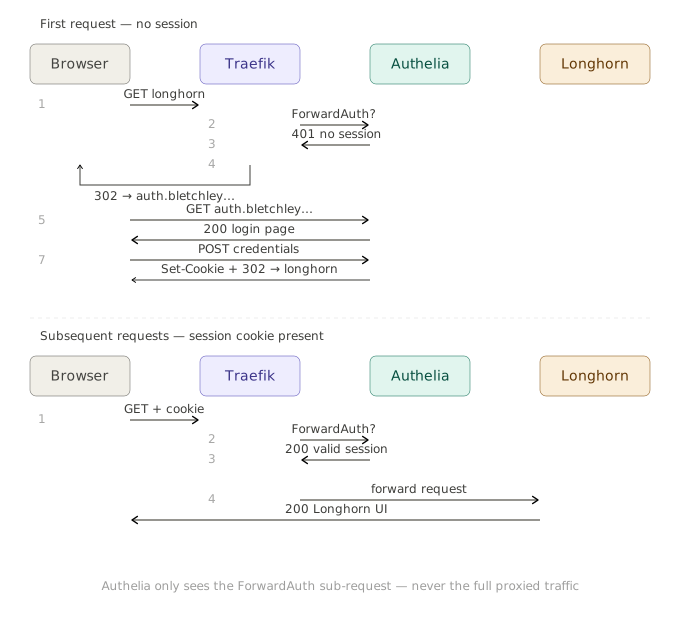
When a request comes in for a protected service, Traefik doesn't forward it to the backend directly. Instead, it makes a lightweight sub-request to Authelia's /api/authz/forward-auth endpoint, passing the original request's headers. Authelia checks for a valid session cookie. If one exists, it returns HTTP 200 and Traefik forwards the original request to the backend. If not, Authelia returns a non-2xx response (typically a redirect or 401), and Traefik translates that into a redirect to the login portal when required.
The important detail: Authelia is not in the data path. It only evaluates request metadata via the ForwardAuth sub-request. The data path goes directly from Traefik to the backend once authentication is confirmed. This is why the ForwardAuth address uses plain http:// — it's internal cluster traffic, so TLS adds no practical benefit here. Think of ForwardAuth as a side-channel authorization check, not a proxy. This distinction is key: authentication happens out-of-band, but the request itself is never proxied through Authelia.
The session cookie is scoped to bletchley.vluwte.nl, which means one login covers all subdomains. Once authenticated at auth.bletchley.vluwte.nl, the browser sends that cookie to every *.bletchley.vluwte.nl request automatically. This relies on the cookie being scoped to the parent domain and marked as Secure; misconfiguration here is a common source of login loops.
Deployment
Prerequisites: namespace and user database
Authelia needs a namespace and two pieces of configuration that must exist before the Helm install: the user database, and the session/storage secrets.
For the secrets, the chart handles key generation automatically if you don't provide an existingSecret. This is the right approach — the chart generates keys with correct internal names that match what it expects to mount. If you pre-create the secret with different key names, the pod will fail to start. Let the chart own the secrets, back them up after install, and note that if you ever delete the release and reinstall, new secrets will be generated and the existing SQLite database (still on the PVC) will be unreadable. The PVC must be deleted and recreated alongside the release in that scenario.
The user database is a YAML file with Argon2id-hashed passwords. On Talos Linux there's no SSH access and no local package manager, so the hash is generated via a one-shot pod on the cluster:
kubectl run authelia-hash --restart=Never \
  --image=authelia/authelia:latest \
  -- authelia crypto hash generate --password 'your-password-here'

kubectl logs authelia-hash
kubectl delete pod authelia-hash
The pod prints the $argon2id$... hash to its logs, then gets deleted. The hash goes into users_database.yml:
users:
  igor:
    displayname: Igor
    password: "$argon2id$v=19$m=65536,t=3,p=4$..."
    email: igor@vluwte.nl
    groups:
      - admins
The parameters m=65536,t=3,p=4 align with commonly recommended Argon2id settings (~64MB memory, moderate iterations) and are appropriate for a homelab. They're safe to use as-is; there's no need to tune them further for this setup.
This file contains a hashed password, not a plaintext one — but it still follows the *-secret.yaml gitignore convention until Sealed Secrets is in place. A .example version is committed; the real file is gitignored.
kubectl create namespace authelia
kubectl create secret generic authelia-users \
  --namespace authelia \
  --from-file=users_database.yml=./users_database.yml
Redis
Authelia uses Redis for session storage. A minimal deployment is sufficient — persistence isn't strictly required, but without it all sessions are lost on restart — acceptable for a homelab, but worth being aware of.
# apps/authelia/redis-deployment.yaml
apiVersion: apps/v1
kind: Deployment
metadata:
  name: redis
  namespace: authelia
spec:
  replicas: 1
  selector:
    matchLabels:
      app: redis
  template:
    metadata:
      labels:
        app: redis
    spec:
      containers:
      - name: redis
        image: redis:7-alpine
        ports:
        - containerPort: 6379
        resources:
          requests:
            memory: 32Mi
            cpu: 10m
          limits:
            memory: 64Mi
---
apiVersion: v1
kind: Service
metadata:
  name: redis
  namespace: authelia
spec:
  selector:
    app: redis
  ports:
  - port: 6379
    targetPort: 6379
The Helm values file
The Authelia chart has some quirks worth knowing before writing values:
pod.kind: Deployment is required when using SQLite + PVC. The chart defaults to a DaemonSet, which puts one pod on every node. Combined with a ReadWriteOnce Longhorn PVC (which can only be mounted by one node at a time), this leaves three of the four pods stuck in ContainerCreating with a Multi-Attach error. A single Deployment with replicas: 1 is the correct setup for SQLite-backed storage. SQLite is the right choice for a single-operator homelab — no external database dependency, no replication overhead. For a high-availability setup with multiple Authelia replicas, PostgreSQL would be required instead, as SQLite can only be written by one process at a time.
enabled: true is required on several subsections. The chart uses feature flags to control what gets rendered into the ConfigMap. Without enabled: true, the file authentication backend, local storage, and filesystem notifier sections are simply omitted from the generated configuration — and Authelia fails to start with errors about missing backends. This is a chart-level concept, not an Authelia one.
subdomain: auth is required for the chart to set authelia_url correctly. The chart constructs authelia_url as https://<subdomain>.<domain> from these two values. Without subdomain, it falls back to building the URL from domain alone — producing https://bletchley.vluwte.nl instead of https://auth.bletchley.vluwte.nl, and redirecting unauthenticated users to a non-existent address.
The complete values file with these lessons applied:
# apps/authelia/authelia-values.yaml
ingress:
  enabled: false  # manage Ingress separately

pod:
  kind: Deployment
  replicas: 1
  resources:
    requests:
      memory: 64Mi
      cpu: 50m
    limits:
      memory: 128Mi
  extraVolumes:
    - name: users-database
      secret:
        secretName: authelia-users
  extraVolumeMounts:
    - name: users-database
      mountPath: /config/users_database.yml
      subPath: users_database.yml
      readOnly: true

configMap:
  theme: auto

  authentication_backend:
    file:
      enabled: true
      path: /config/users_database.yml
      watch: true  # reload without pod restart when secret updates

  session:
    name: authelia_session
    expiration: 2h
    inactivity: 30m
    cookies:
      - domain: bletchley.vluwte.nl
        subdomain: auth  # required — chart uses this to build authelia_url
        authelia_url: https://auth.bletchley.vluwte.nl
    redis:
      host: redis.authelia.svc.cluster.local
      port: 6379

  storage:
    local:
      enabled: true
      path: /config/db.sqlite3

  access_control:
    default_policy: deny
    rules:
      - domain: "longhorn.bletchley.vluwte.nl"
        policy: one_factor
      - domain: "traefik.bletchley.vluwte.nl"
        policy: one_factor

  notifier:
    filesystem:
      enabled: true
      filename: /config/notification.txt

  ntp:
    address: 'udp://10.0.140.1:123'
    disable_failure: true

persistence:
  enabled: true
  size: 1Gi
  storageClass: longhorn
A few things about the access control configuration: default_policy: deny means anything not explicitly listed is blocked. Right now only Longhorn and the Traefik dashboard are in the rules. Every new service added to the cluster needs a corresponding rule here — or the default can be changed to one_factor, which requires login for everything without needing to enumerate each service. Deny is more secure; one_factor is less maintenance. For a single-operator homelab, either is defensible.
The notifier.filesystem section writes notification messages (password reset, TOTP setup) to a file inside the pod. As the only user with a directly-hashed password, this will likely never be needed — but the notifier section is required by Authelia's configuration validation regardless.
Install
helm repo add authelia https://charts.authelia.com
helm repo update

helm install authelia authelia/authelia \
  --namespace authelia \
  --version 0.10.50 \
  --values apps/authelia/authelia-values.yaml
The install output includes a note that the chart automatically generated an encryption key for the SQLite database. For this homelab setup that's acceptable — the database only stores 2FA state, which is regeneratable if needed. If I have to delete the release and reinstall, I will have to delete the PVC alongside it so the new encryption key and a fresh database start together.
Once the pod is running, the logs should show a clean startup:
time="..." level=info msg="Authelia v4.39.16 is starting"
time="..." level=info msg="Storage schema migration from 0 to 23 is complete"
time="..." level=info msg="Startup complete"
time="..." level=info msg="Listening for non-TLS connections on '[::]:9091'"
time="..." level=info msg="Watching file for changes" file=/config/users_database.yml
The Login Portal: auth.bletchley.vluwte.nl
Authelia needs its own publicly-reachable hostname. This isn't an admin interface you'd bookmark and visit directly — it's the login page that every protected service redirects to when unauthenticated. The Ingress is standard:
# apps/authelia/ingresses/ingress-authelia.yaml
apiVersion: networking.k8s.io/v1
kind: Ingress
metadata:
  name: authelia
  namespace: authelia
  annotations:
    cert-manager.io/cluster-issuer: letsencrypt-production
    traefik.ingress.kubernetes.io/router.middlewares: traefik-redirect-to-https@kubernetescrd
spec:
  ingressClassName: traefik
  rules:
  - host: auth.bletchley.vluwte.nl
    http:
      paths:
      - path: /
        pathType: Prefix
        backend:
          service:
            name: authelia
            port:
              number: 80
  tls:
  - hosts:
    - auth.bletchley.vluwte.nl
    secretName: authelia-tls
Add the DNS record (auth.bletchley.vluwte.nl → 10.0.140.100), apply the Ingress, and wait for the certificate:
kubectl apply -f apps/authelia/ingresses/ingress-authelia.yaml
kubectl get certificate -n authelia -w
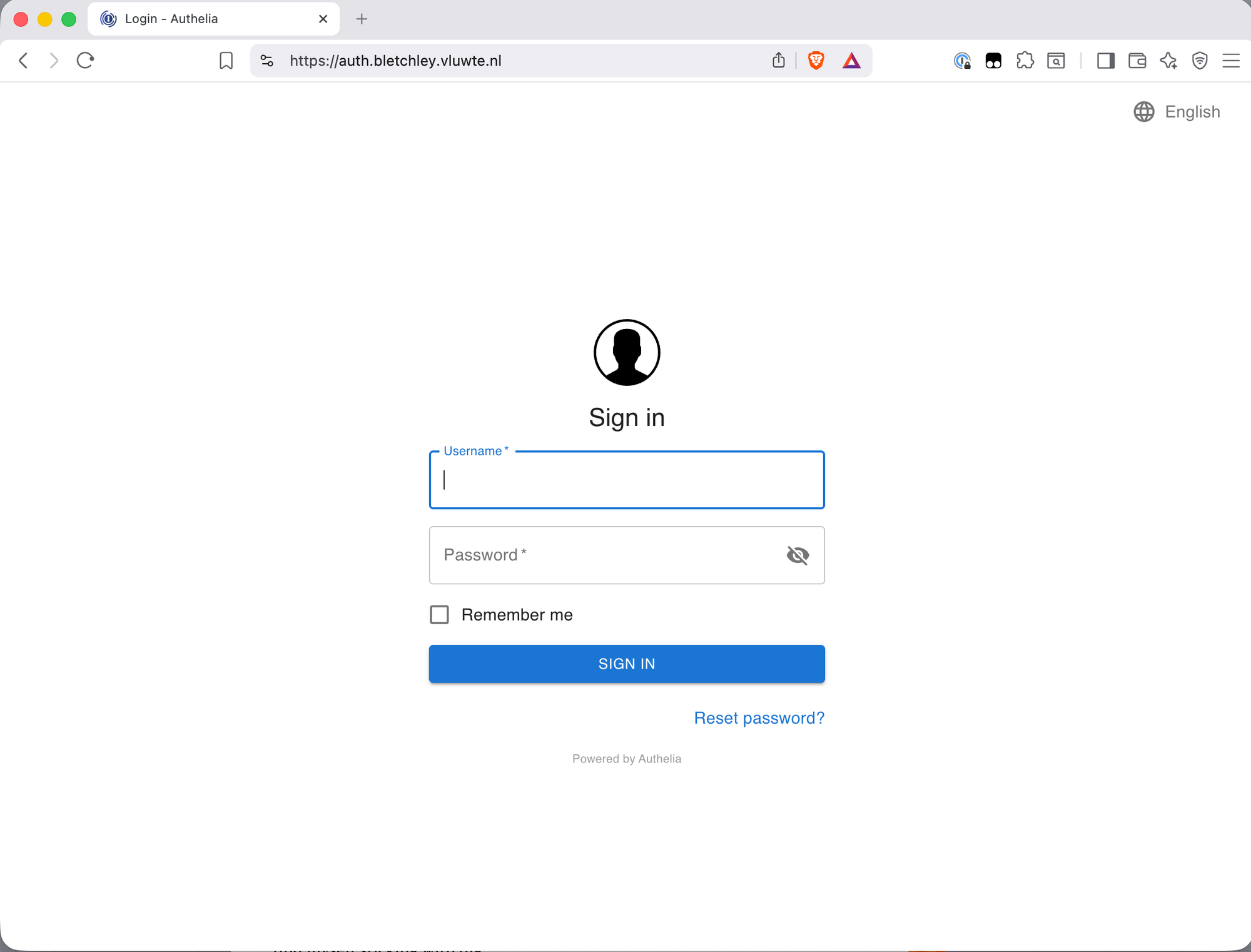
With the certificate issued, https://auth.bletchley.vluwte.nl serves the Authelia login page.
The ForwardAuth Middleware
The ForwardAuth middleware is what connects Traefik to Authelia. It lives in the traefik namespace, consistent with the existing redirect-to-https middleware convention:
# infra/networking/traefik/middleware-authelia.yaml
apiVersion: traefik.io/v1alpha1
kind: Middleware
metadata:
  name: authelia
  namespace: traefik
spec:
  forwardAuth:
    address: http://authelia.authelia.svc.cluster.local/api/authz/forward-auth
    trustForwardHeader: true
    authResponseHeaders:
      - Remote-User
      - Remote-Groups
      - Remote-Name
      - Remote-Email
Breaking down the address: http:// because this is internal cluster traffic that never leaves the pod network — no TLS needed here. authelia.authelia.svc.cluster.local is the standard Kubernetes DNS name for the authelia Service in the authelia namespace. /api/authz/forward-auth is the correct endpoint for Authelia v4.38 and later — the older /api/verify endpoint was removed in that release.
trustForwardHeader: true tells Authelia to trust the X-Forwarded-For header passed by Traefik, so it sees the original client IP rather than Traefik's pod IP. This should only be enabled when Authelia is behind a trusted reverse proxy — in this case Traefik running inside the cluster, with no direct external access to Authelia.
The authResponseHeaders list passes identity information from Authelia to the backend service after a successful authentication check. For services that can use this (like Grafana, later), these headers identify the logged-in user.
Once applied, the middleware is referenced in Ingress annotations as traefik-authelia@kubernetescrd — namespace first, then name, then the provider suffix.
Protecting Longhorn
Adding ForwardAuth to Longhorn is a one-line annotation change:
annotations:
  cert-manager.io/cluster-issuer: letsencrypt-production
  traefik.ingress.kubernetes.io/router.middlewares: "traefik-redirect-to-https@kubernetescrd,traefik-authelia@kubernetescrd"
One thing to be careful of: the annotation value must be a single string with no spaces around the comma. Using YAML block scalar syntax (>-) to split it across lines introduces a space that Traefik treats as part of the middleware name — and silently fails to resolve it, returning 404. The quoted single-line format is unambiguous.
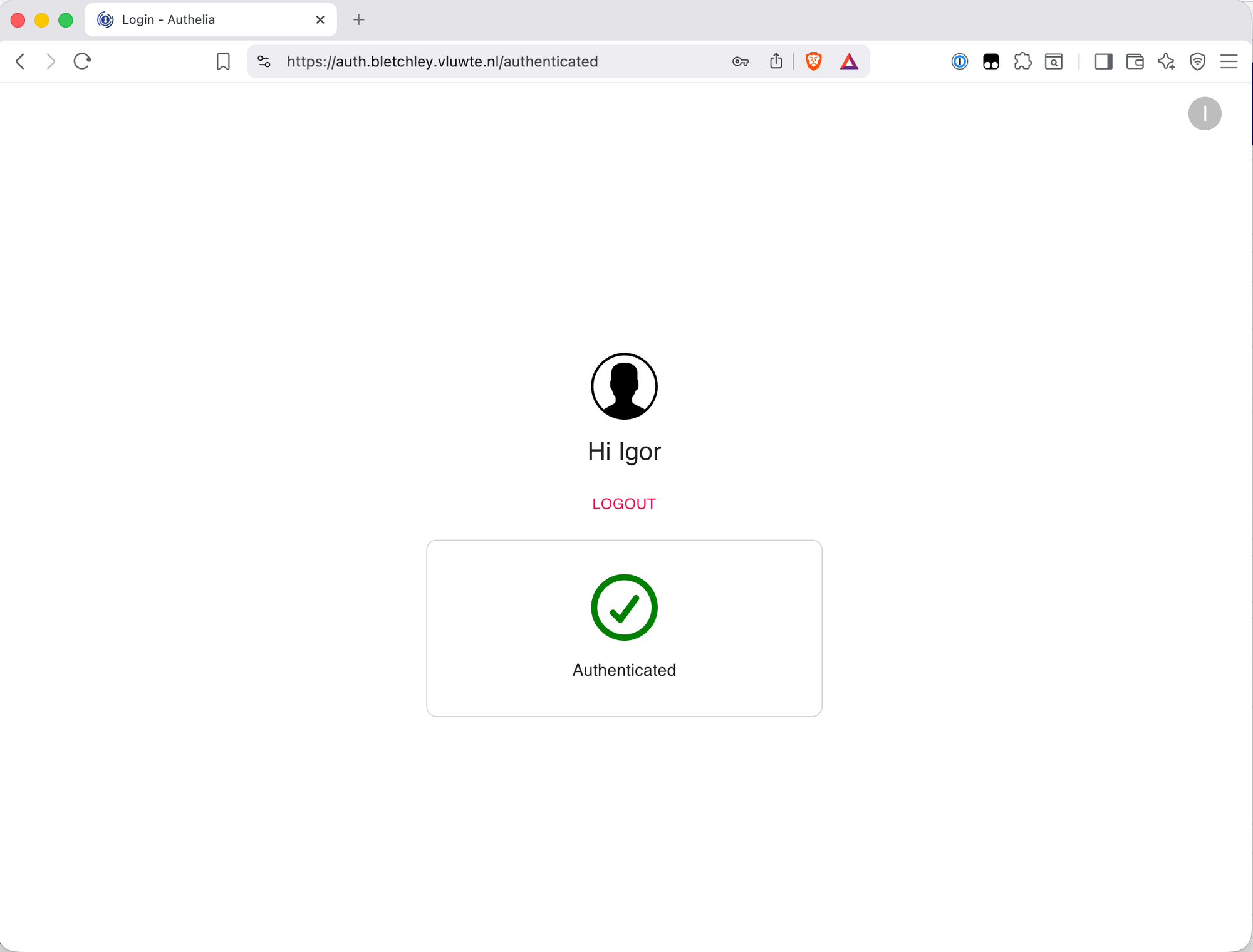
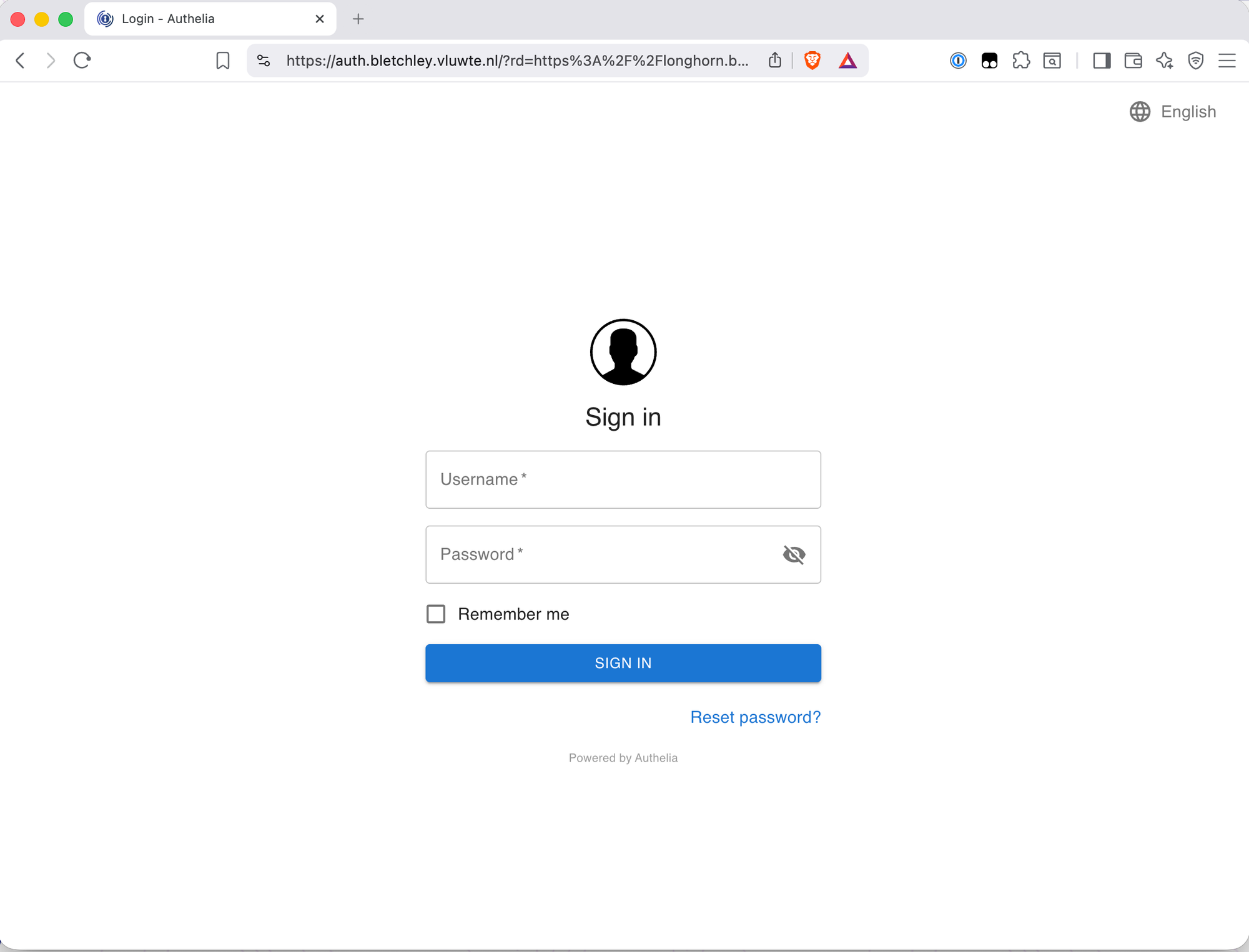
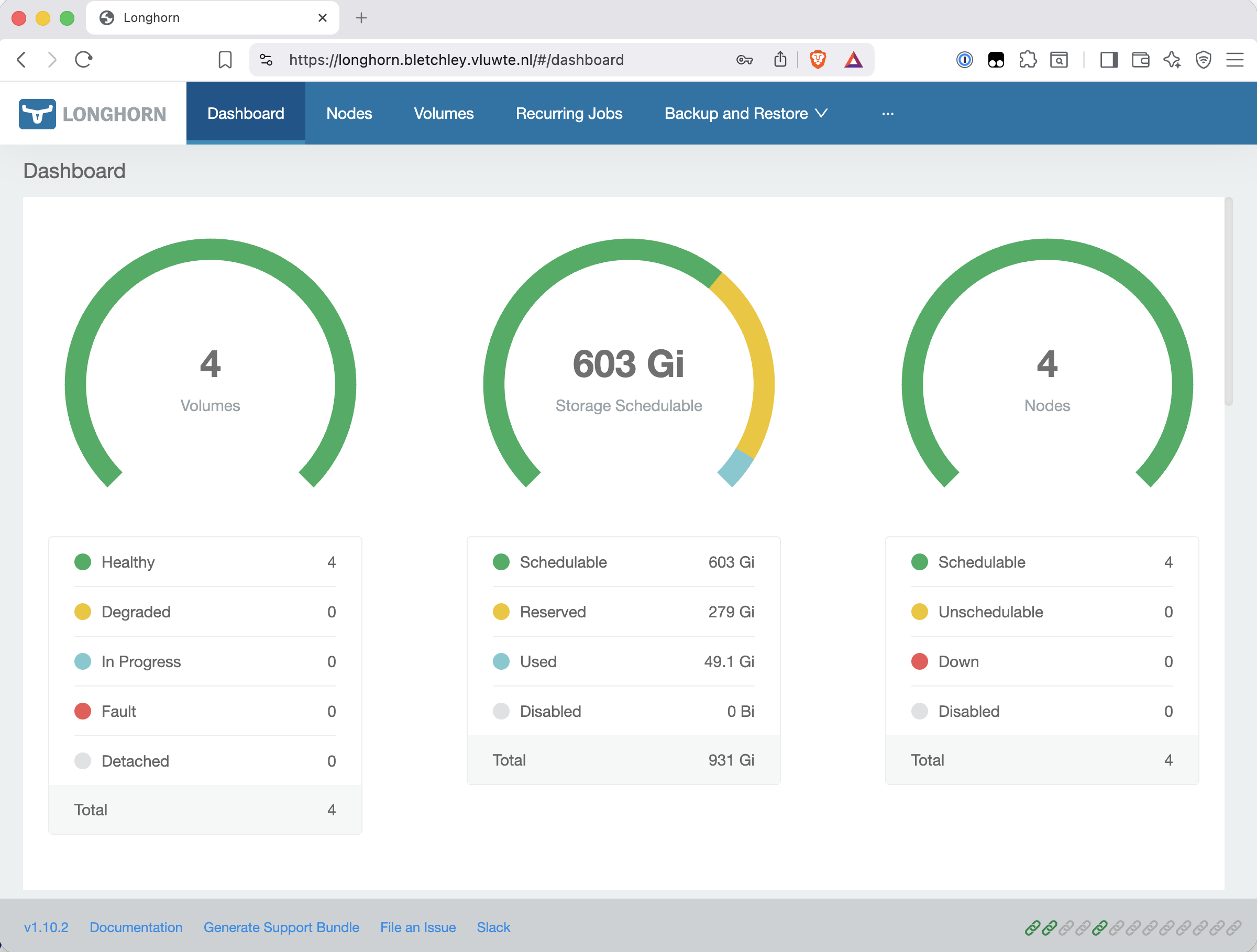
With the updated Ingress applied, visiting https://longhorn.bletchley.vluwte.nl without a session now redirects to the Authelia login page. After logging in, the browser is redirected back to Longhorn automatically.
Protecting the Traefik Dashboard
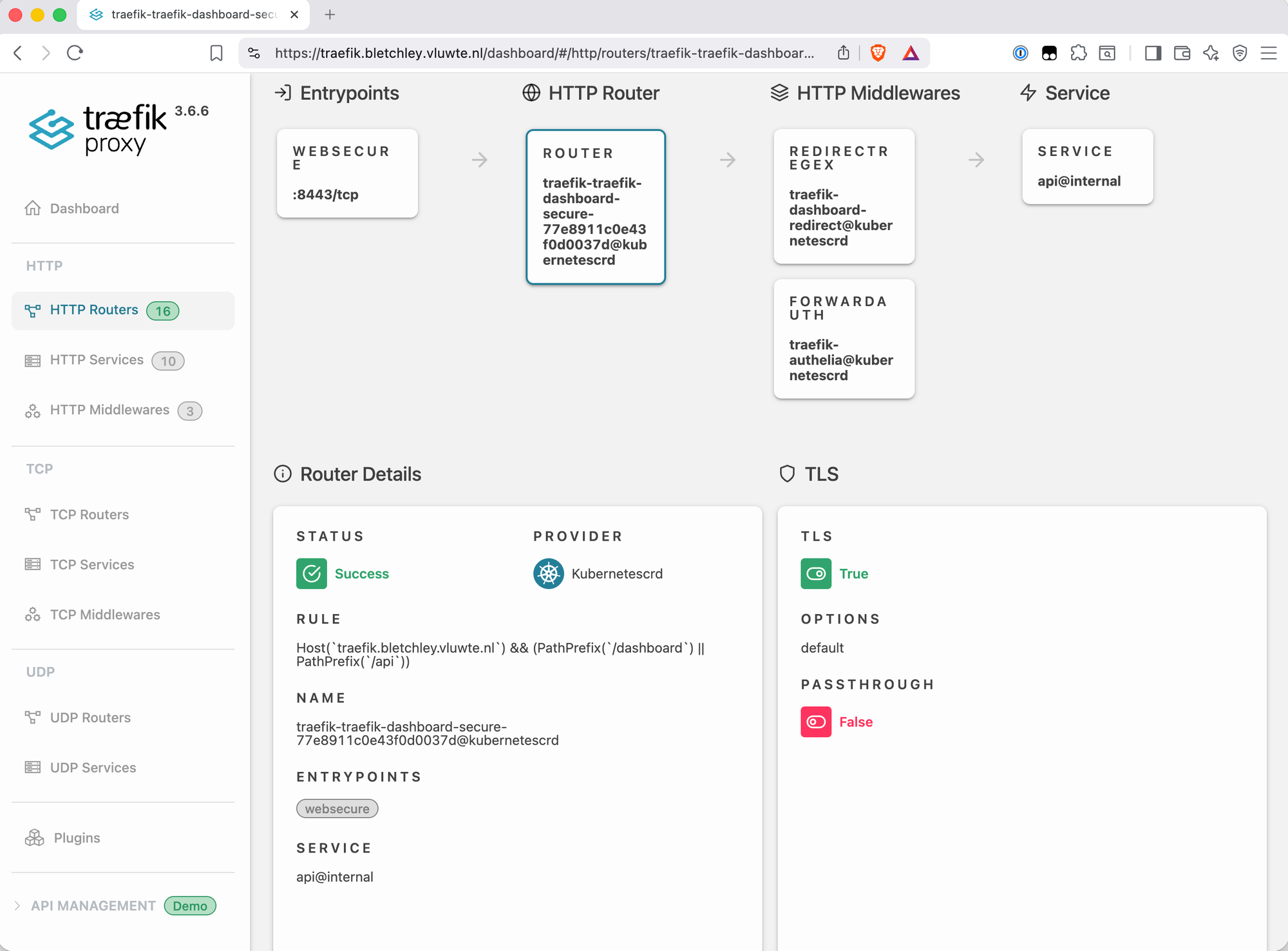
The Traefik dashboard situation is slightly different from Longhorn. The dashboard isn't exposed via a standard Kubernetes Service port — it's served by Traefik itself via the api@internal special service. Port 8080 is visible on the pod but not on the LoadBalancer Service (which only exposes 80 and 443), so a standard Ingress pointing at port 8080 produces a service port not found error from Traefik.
The correct approach is a Traefik IngressRoute CRD, which can reference api@internal directly. This is also how the chart's built-in dashboard route works — by looking at its spec:
spec:
  entryPoints:
  - web
  routes:
  - kind: Rule
    match: PathPrefix(`/dashboard`) || PathPrefix(`/api`)
    services:
    - kind: TraefikService
      name: api@internal
The replacement IngressRoute adds TLS, the Authelia middleware, a host rule (so it only responds to the correct hostname), and a redirect for the missing trailing slash:
# infra/networking/traefik/ingressroute-traefik-dashboard.yaml
apiVersion: traefik.io/v1alpha1
kind: IngressRoute
metadata:
  name: traefik-dashboard-secure
  namespace: traefik
spec:
  entryPoints:
    - websecure
  routes:
    - kind: Rule
      match: Host(`traefik.bletchley.vluwte.nl`) && (PathPrefix(`/dashboard`) || PathPrefix(`/api`))
      middlewares:
        - name: dashboard-redirect
          namespace: traefik
        - name: authelia
          namespace: traefik
      services:
        - kind: TraefikService
          name: api@internal
  tls:
    secretName: traefik-dashboard-tls
---
apiVersion: traefik.io/v1alpha1
kind: IngressRoute
metadata:
  name: traefik-dashboard-http
  namespace: traefik
spec:
  entryPoints:
    - web
  routes:
    - kind: Rule
      match: Host(`traefik.bletchley.vluwte.nl`)
      middlewares:
        - name: redirect-to-https
          namespace: traefik
      services:
        - kind: TraefikService
          name: api@internal
The dashboard-redirect middleware handles the trailing slash:
# infra/networking/traefik/middleware-dashboard-redirect.yaml
apiVersion: traefik.io/v1alpha1
kind: Middleware
metadata:
  name: dashboard-redirect
  namespace: traefik
spec:
  redirectRegex:
    regex: ^https://traefik.bletchley.vluwte.nl/dashboard$
    replacement: https://traefik.bletchley.vluwte.nl/dashboard/
    permanent: true
The TLS certificate is managed by a standard Ingress at infra/networking/traefik/ingress-traefik.yaml. This file's sole job is to give cert-manager an anchor for the traefik-dashboard-tls certificate — it carries only the cert-manager.io/cluster-issuer annotation and a minimal backend. No routing rules, no middleware annotations. Those belong in the IngressRoute.
# infra/networking/traefik/ingress-traefik.yaml
apiVersion: networking.k8s.io/v1
kind: Ingress
metadata:
  name: traefik-dashboard
  namespace: traefik
  annotations:
    cert-manager.io/cluster-issuer: letsencrypt-production
spec:
  ingressClassName: traefik
  rules:
  - host: traefik.bletchley.vluwte.nl
    http:
      paths:
      - path: /
        pathType: Prefix
        backend:
          service:
            name: traefik
            port:
              number: 80
  tls:
  - hosts:
    - traefik.bletchley.vluwte.nl
    secretName: traefik-dashboard-tls
With everything in place, the built-in unauthenticated dashboard route can be disabled in the Traefik Helm values:
ingressRoute:
  dashboard:
    enabled: false
Direct IP access at http://10.0.140.100/dashboard/ now returns 404. That's the correct and expected result — there's no value in making raw IP access convenient, and the 404 doesn't expose any meaningful service surface.
What's Working Now
Authelia deployment
- Single Deployment pod (not DaemonSet), Redis for sessions, SQLite on Longhorn PVC
- File-based user backend,
igoraccount configured with Argon2id hash - Internal NTP configured (
udp://10.0.140.1:123) - Login portal at
https://auth.bletchley.vluwte.nlwith valid Let's Encrypt certificate
ForwardAuth middleware
traefik-authelia@kubernetescrddeployed in thetraefiknamespace- Using the
/api/authz/forward-authendpoint (v4.38+ format —/api/verifywas removed) - Session cookie scoped to
bletchley.vluwte.nl— one login covers all subdomains
Longhorn protected
https://longhorn.bletchley.vluwte.nlredirects to Authelia when unauthenticated- After login, redirects back to Longhorn
- Longhorn UI fully functional after authentication
Traefik dashboard protected
https://traefik.bletchley.vluwte.nl/dashboard/requires Authelia login- HTTP → HTTPS redirect active for the hostname
- Trailing slash redirect working (
/dashboard→/dashboard/) - Built-in unauthenticated dashboard IngressRoute disabled
- Direct IP access returns 404 — expected and acceptable
Lessons Learned
- The Authelia Helm chart has several non-obvious requirements —
pod.kind: Deploymentto avoid the DaemonSet/RWO PVC conflict,enabled: trueon each backend section, andsubdomain: authto prevent the chart overriding the explicitauthelia_url. None of these are documented prominently; they surface as failures during install. - Let the chart own the secrets — pre-creating secrets with manually chosen key names caused the pod to fail because the chart expects specific internal key names. Letting the chart auto-generate the secret sidesteps this entirely. The trade-off is that the values aren't in 1Password, but they're in a Kubernetes Secret that can be backed up.
- The
/api/verifyendpoint was removed in Authelia v4.38 — using it with v4.39.16 produces 404. The correct endpoint is/api/authz/forward-auth. Many older guides still reference/api/verify, so this is worth checking when following existing documentation. - No spaces in Traefik middleware annotation values —
>-YAML block scalar syntax introduces a space that silently breaks middleware resolution. Use a single quoted string. - The Traefik dashboard requires an IngressRoute CRD, not a standard Ingress — the dashboard is served by
api@internal, which has no Kubernetes Service port. A standard Ingress pointing at port 8080 fails at the Traefik level. - The standard Ingress for the Traefik dashboard is a cert-manager anchor, not a router —
ingress-traefik.yamlinitially included routing rules pointing at thetraefikService on port 8080. Port 8080 is visible on the Traefik pod but not exposed on the LoadBalancer Service, which only exposes 80 and 443. This produced a recurring error in Traefik's logs:
ERR Cannot create service error="service port not found"
    ingress=traefik-dashboard namespace=traefik
    servicePort=&ServiceBackendPort{Name:,Number:8080,}
The fix was to strip the routing from ingress-traefik.yaml entirely. That file's only purpose is to give cert-manager an anchor for the traefik-dashboard-tls certificate — all routing is handled by the IngressRoute CRD. The middleware annotations on the Ingress were redundant for the same reason.
The mental model to keep straight: for api@internal services, the standard Ingress does not route. The IngressRoute CRD owns routing; the Ingress exists only for cert-manager.
What's Next
With authentication in place, every cluster service can be protected with a single annotation change. The foundation is also set for the next step: Grafana SSO via Authelia's OIDC provider, so that the Grafana login becomes the same session as everything else rather than a separate credential.
Sealed Secrets remains on the roadmap — users_database.yml and the Authelia secrets are currently gitignored rather than properly managed. Once Sealed Secrets is in place, the credentials-in-git gap closes properly.
← Previous: Cluster Observability Part 3
→ Next: IT-Tools on Bletchley
Questions or suggestions? Leave a comment below or reach out at igor@vluwte.nl.